Sanity Interface
The screenshot below shows the Sanity Studio interface:
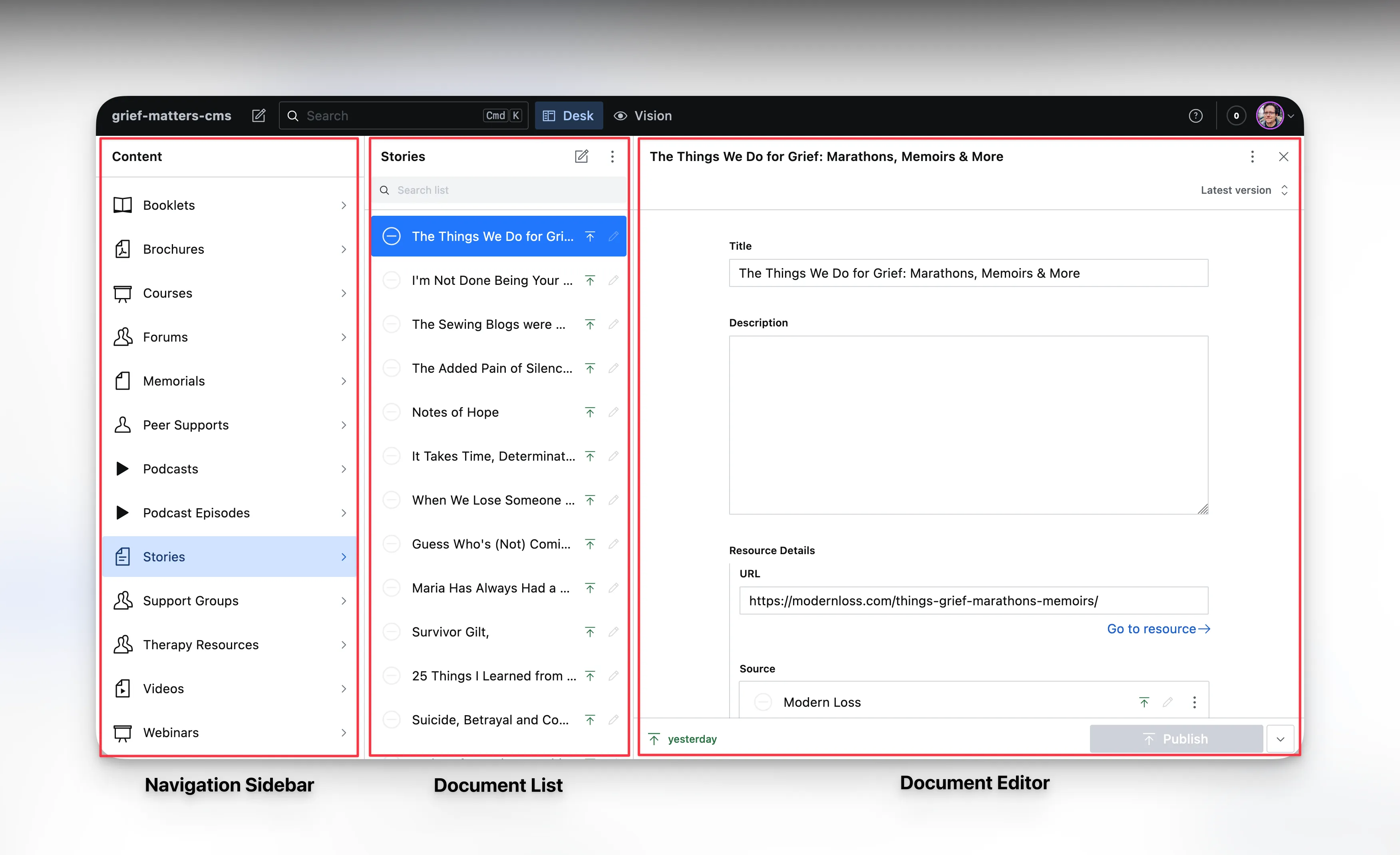
Navigation Sidebar
Located on the left side of the screen, the navigation sidebar provides quick access to different sections of Sanity Studio. It typically includes links to various document types, tools, and settings.
you’ll mostly use this to navigate to collections of different document types, such as articles or stories.
Document List
The central area of the interface displays a list of documents based on the selected document type. Each entry in the list showcases key information, such as titles or preview images, allowing easy identification and selection.
Document Editor
When you select a specific document from the list, the document editor appears. It’s here that you can view and edit the content within the chosen document type. The editor displays fields and their corresponding data, enabling you to make changes and updates.