Featured Content
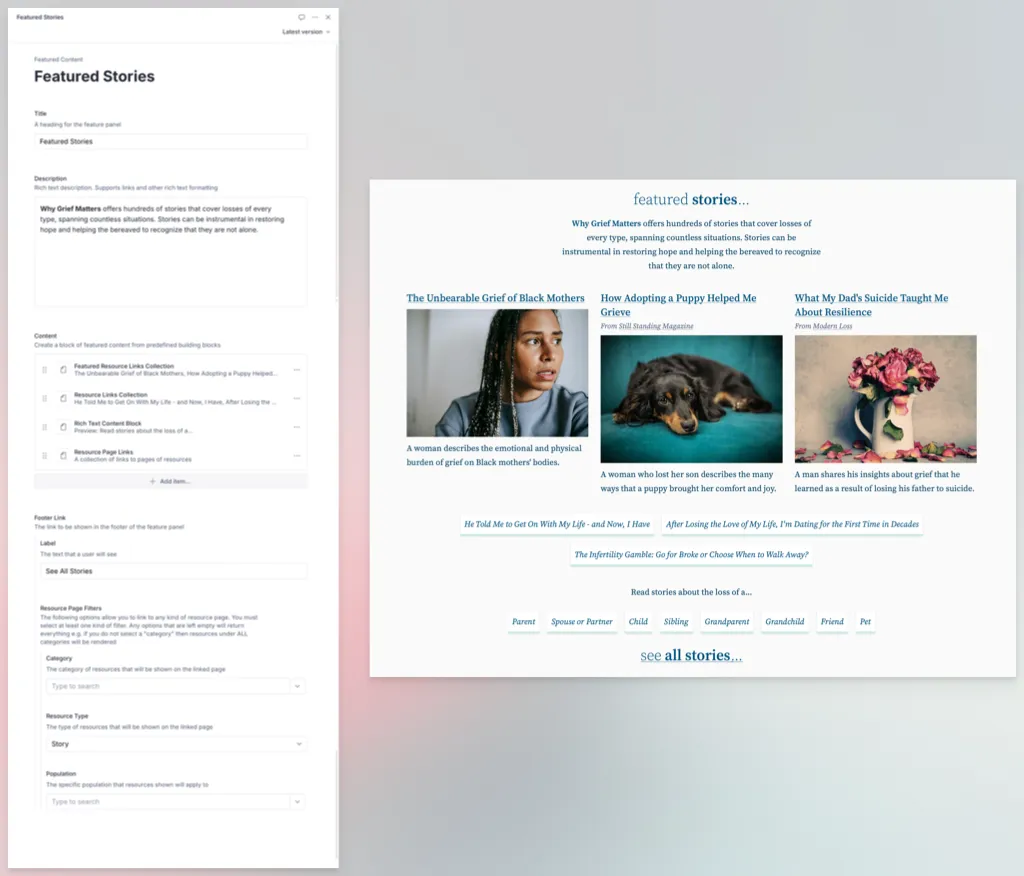
The Feature Content content type is a dynamic type that allows flexible authoring of Feature Panels for the home page.
Available Fields
-
Title is a simple text field that will appear as the heading of the panel.
-
Description is a “rich text” field so that a limited amount of formatting is possible e.g. bold, italic, lists
-
Content is the main content for the panel. It is basically a list of building blocks that work together to form the panel’s content. The following types of blocks are available:
- Image Row (3) is a selection of photos that will appear side-by-side as a row.
- Rich Text Content Block allows arbitrary blocks of text with some limited formatting options.
- Row of 3 Featured Resources is exactly 3 references to resources within the system. As the input will oad all available resources, it’s best if you know ahead of time the titles you wish to add for easy searching.
- Resource Links is similar to the Featured Resources in that it allows you to build a custom collection of resources. The difference is that these will be presented on the website as a list of titled links that go direct to the resource.
- Resource Page Links are a collection of a special content type called Resource Page Link that allows construction of a link to a page of pre-filtered resources. For example a page that shows resources for a specific population, of a specific type, and a specific category.
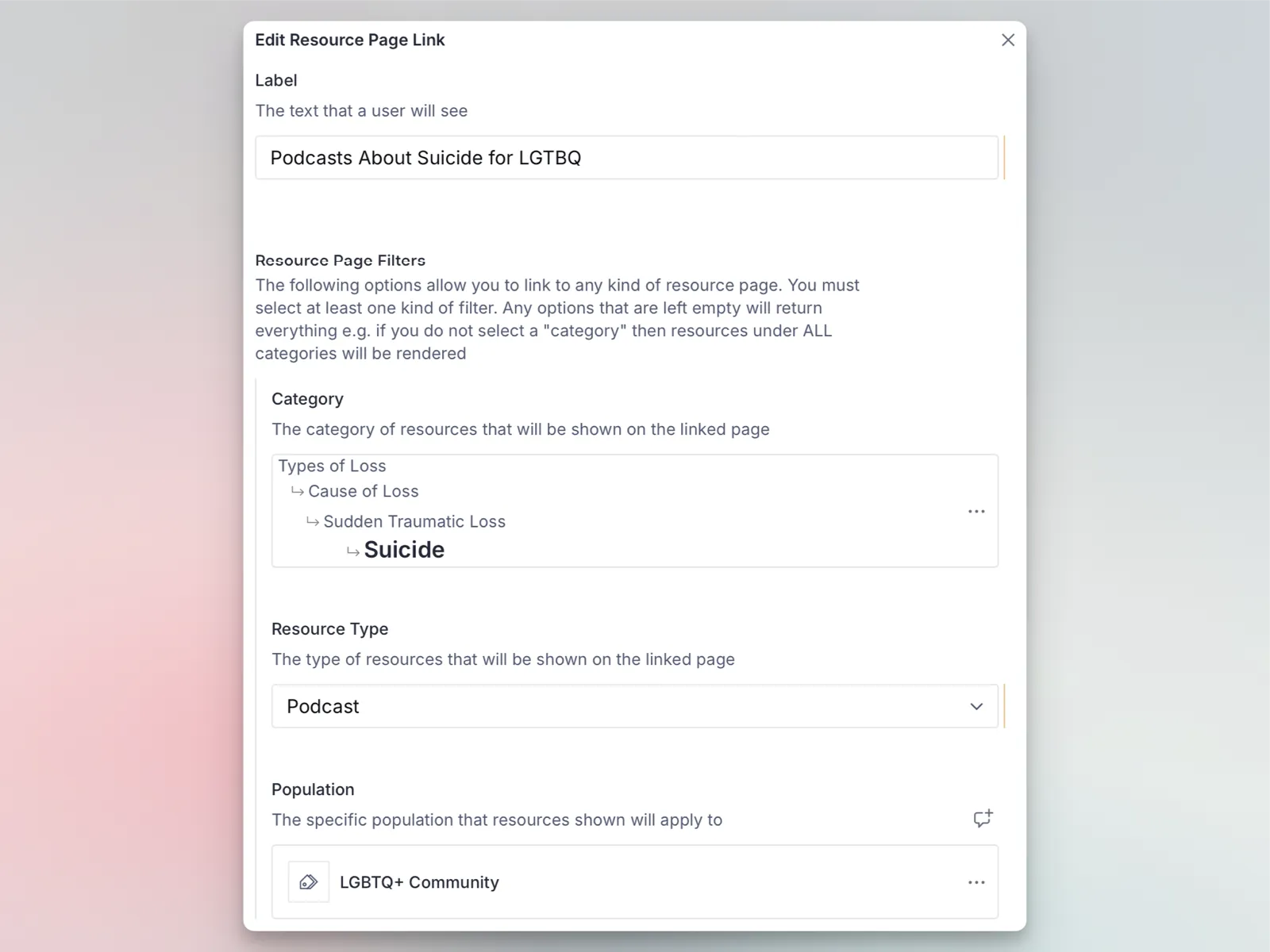
- Footer Link is a special type of Resource Page Link. It has all of the same options but instead will always be rendered at the bottom of the content panel and there can only be one.
Example
Below is a an example of how a Featured Content panel may be constructed within teh CMS versus how it might render on the website: