Document Validation
Validation Errors
Validation issues that must be resolved before a document can be published
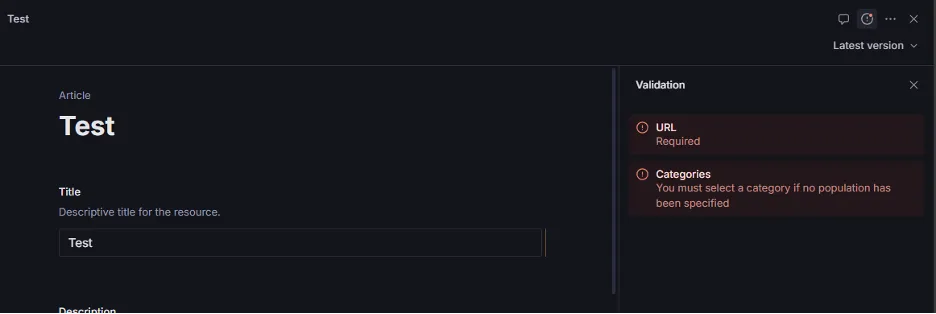
Any validation issues with a circle and an exclamation dot in the center, and a red dot need to be fixed prior to being fixed. These are found in the upper right corner of the resource, and when you click on the exclamation point, you can find what needs to be fixed. For example, in the example below, a URL and category need to be applied.
Validation Warnings
Validation issues that can be checked and ultimately disregarded as needed
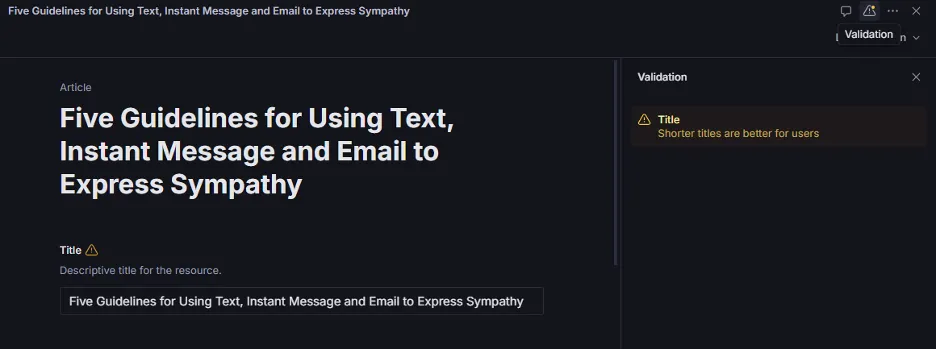
Any validation issues with a triangle and an exclamation mark in the middle and a yellow/orange dot in the upper corner are warnings. If you click the exclamation point, this will show you the warning/recommendation of what to change. However, most of the time, like in the example below, the title is long because that is the article name, and nothing needs to be changed. Or for example, descriptions are long because they have to be, and we choose to keep them that length. These recommendations are based on what is best for the website user/visitor ease of readability and visual appeal/consumption, but are not a requirement to change.