Document States
Documents in Sanity can be in various states depending on what stage of the content editing lifecycle they are at.
The states are indicated in both the document list view as well as in the document editor.
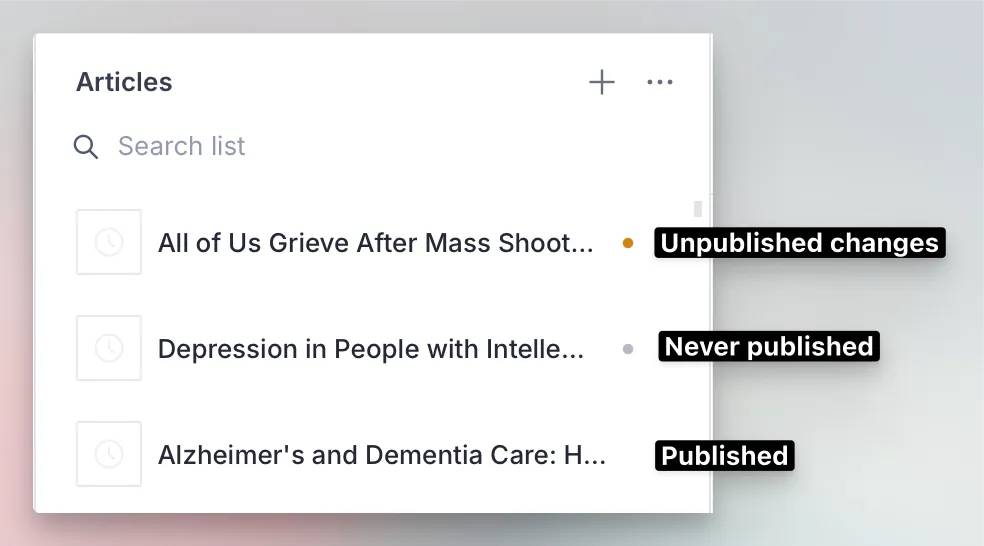
This is how they look in the document list:
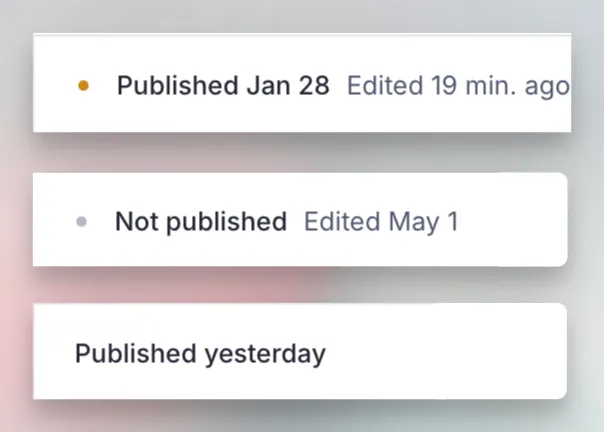
And this is how the state is described in the document editing pane, at the bottom of the window:
Draft
In Sanity Studio, when you create a new document or edit one that has already been published, a draft document is created. Drafts capture in progress updates whilst leaving the original published document intact. This enables keeping changes separated from what is presented to users until those changes are ready to be explicitly rolled-out.
There are two kinds of draft document.
- A new document that has never been published, or that has been “Unpublished”. These “unpublished drafts” are indicated by a grey dot.
- A currently published document that has unpublished changes. These documents are indicated by a dark orange dot adn will remain so until the changes have been published.
Published
Documents that have been marked as ready for review are then able to be published. This provides an extra step of protection to ensure that changes are approved before being published to the website.
Only authorized Sanity accounts are able to publish documents.
A document that is fully published is indicated by the absence of any colored dot in the document list. A dark orange dot indicates a document is published, but contains draft changes since the last time it was published.
Ready for Review
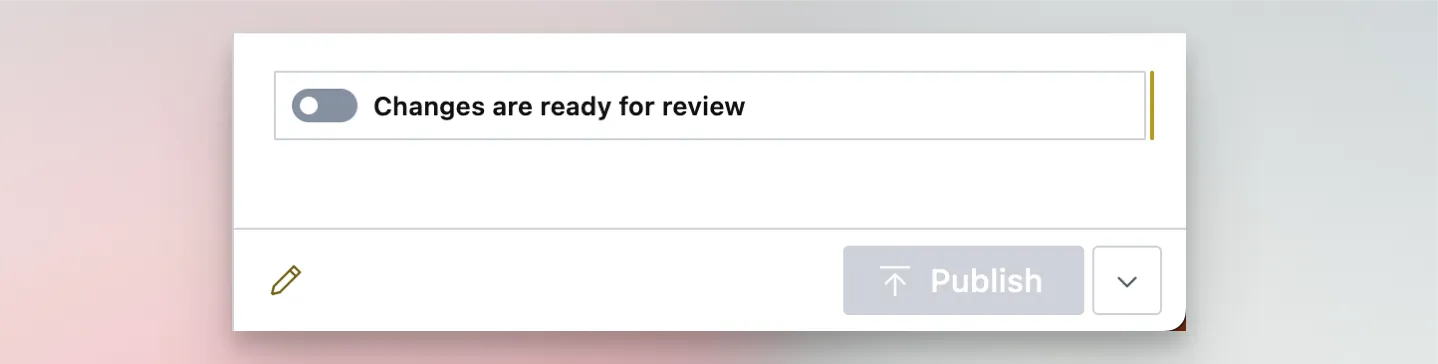
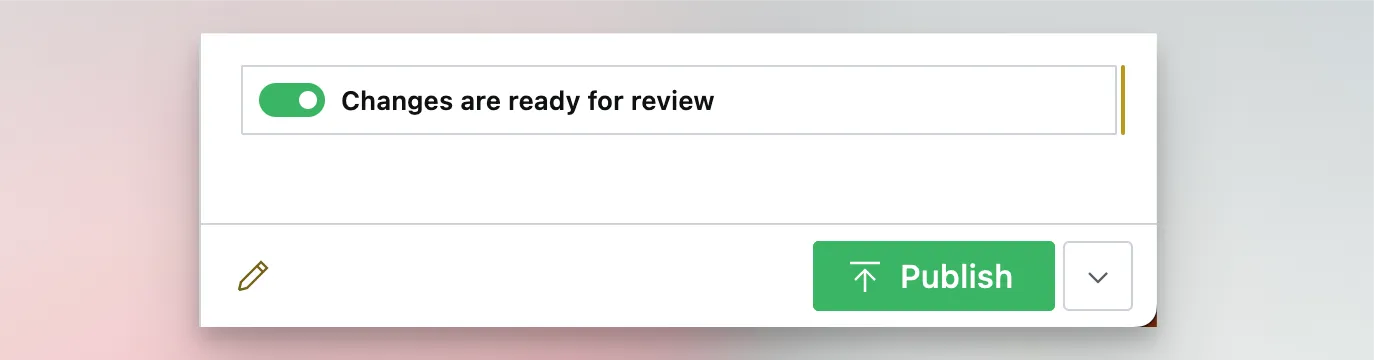
A document in draft must be marked as ready for review once the changes are ready to publish. This toggle is only available on new draft documents or previously published documents with changes.
The pending review state is generally indicated by a purple clock:

To move a document into the ready for review state, you can activate the toggle on the document: