Creating Documents
To follow along with this guide log in to the “sandbox” at https://sandbox—grief-matters-sanity-studio.netlify.com.
This is a special environment - all of the content here is “sandboxed” away from our main dataset, so you are safe to play around and make changes without affecting any real data.
Let’s create our first document by adding a “story”
In Sanity Studio you can create a new document in one of two ways:
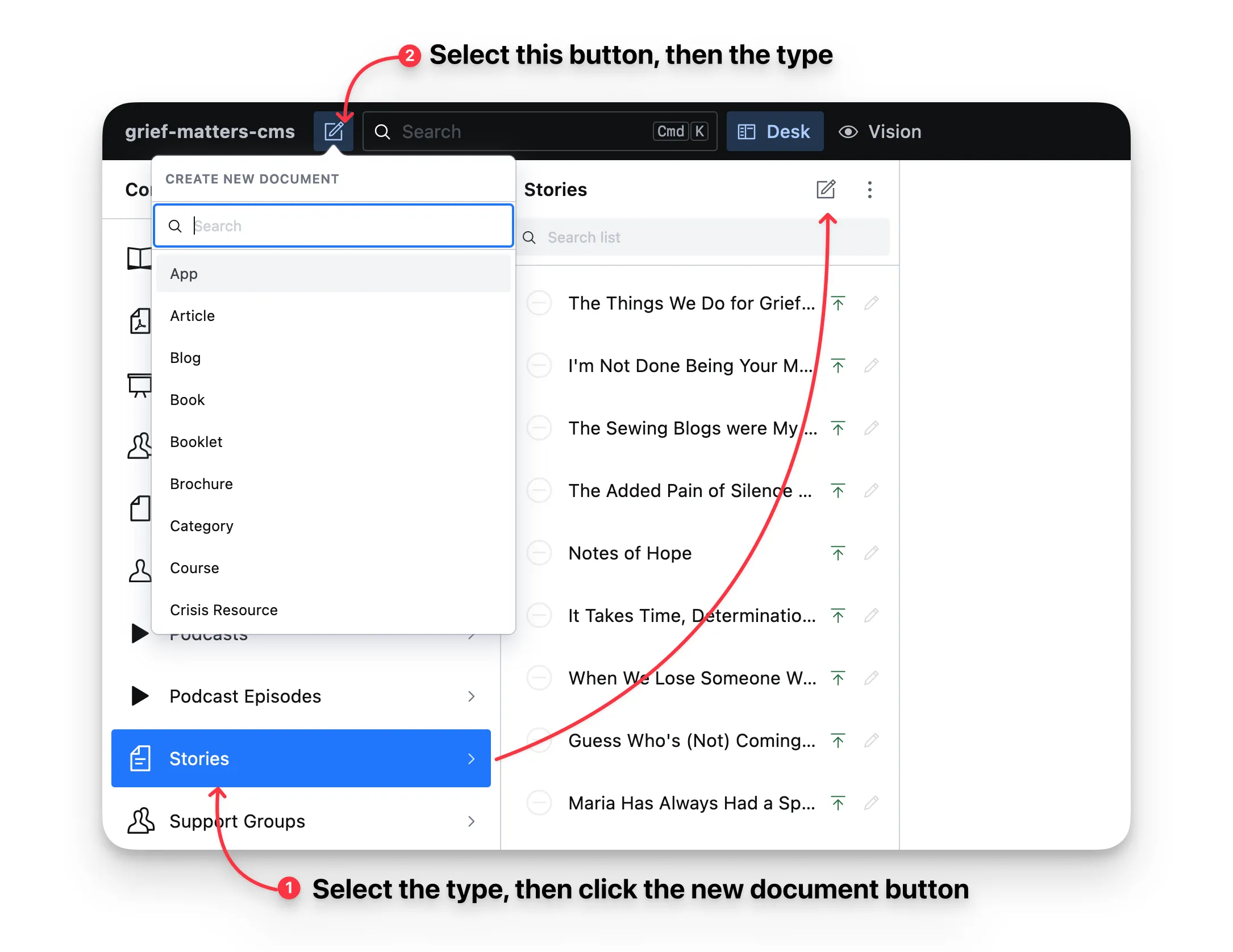
You can either, select the document type you want to create in the navigation sidebar. Then select the New Document button at the top of the document list (see #1 in the screenshot below).
Or, select the “New Document” button in the header, and select the type of document you want to create (see #2 in the screenshot below).
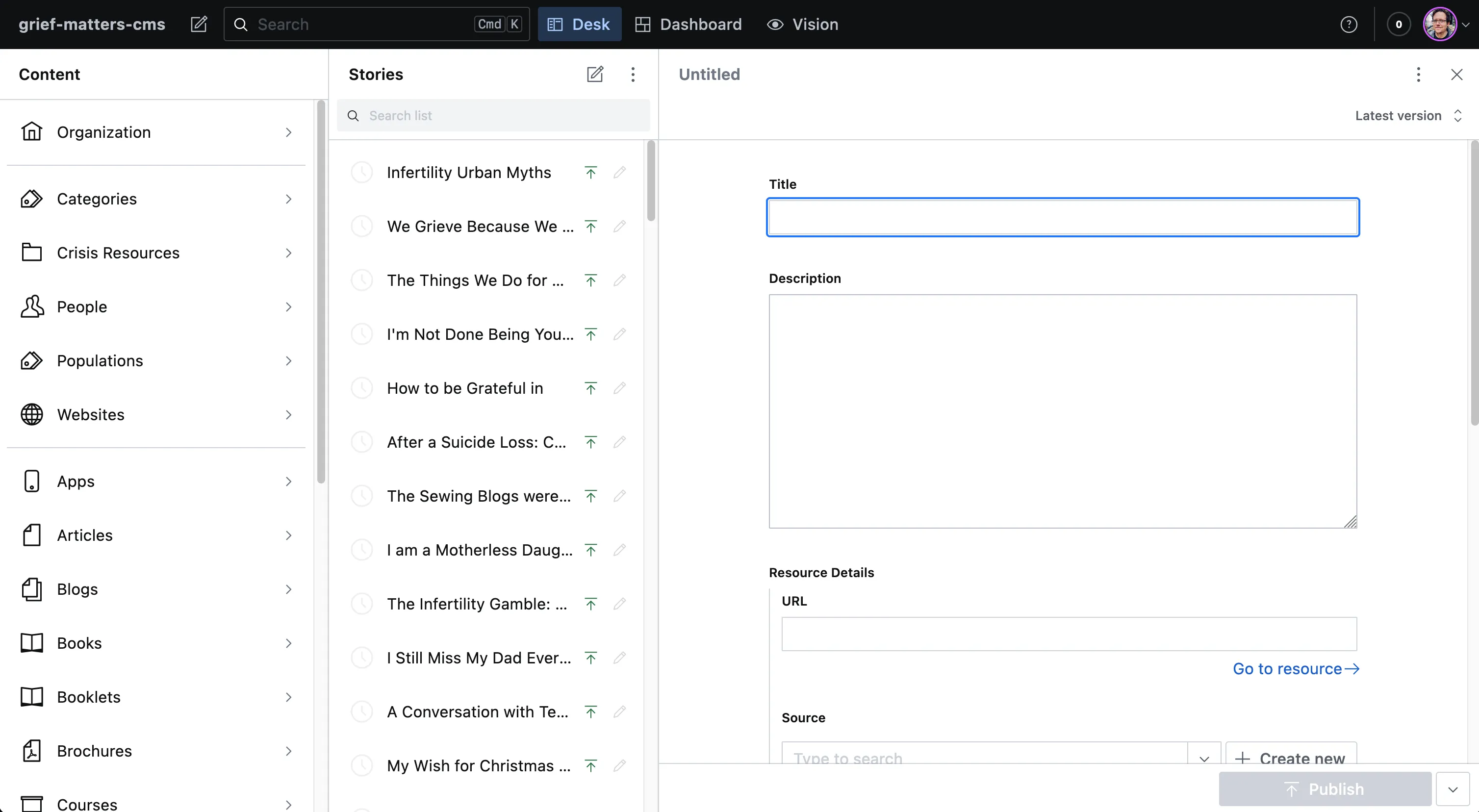
You’ll be presented with an empty document editor as below:
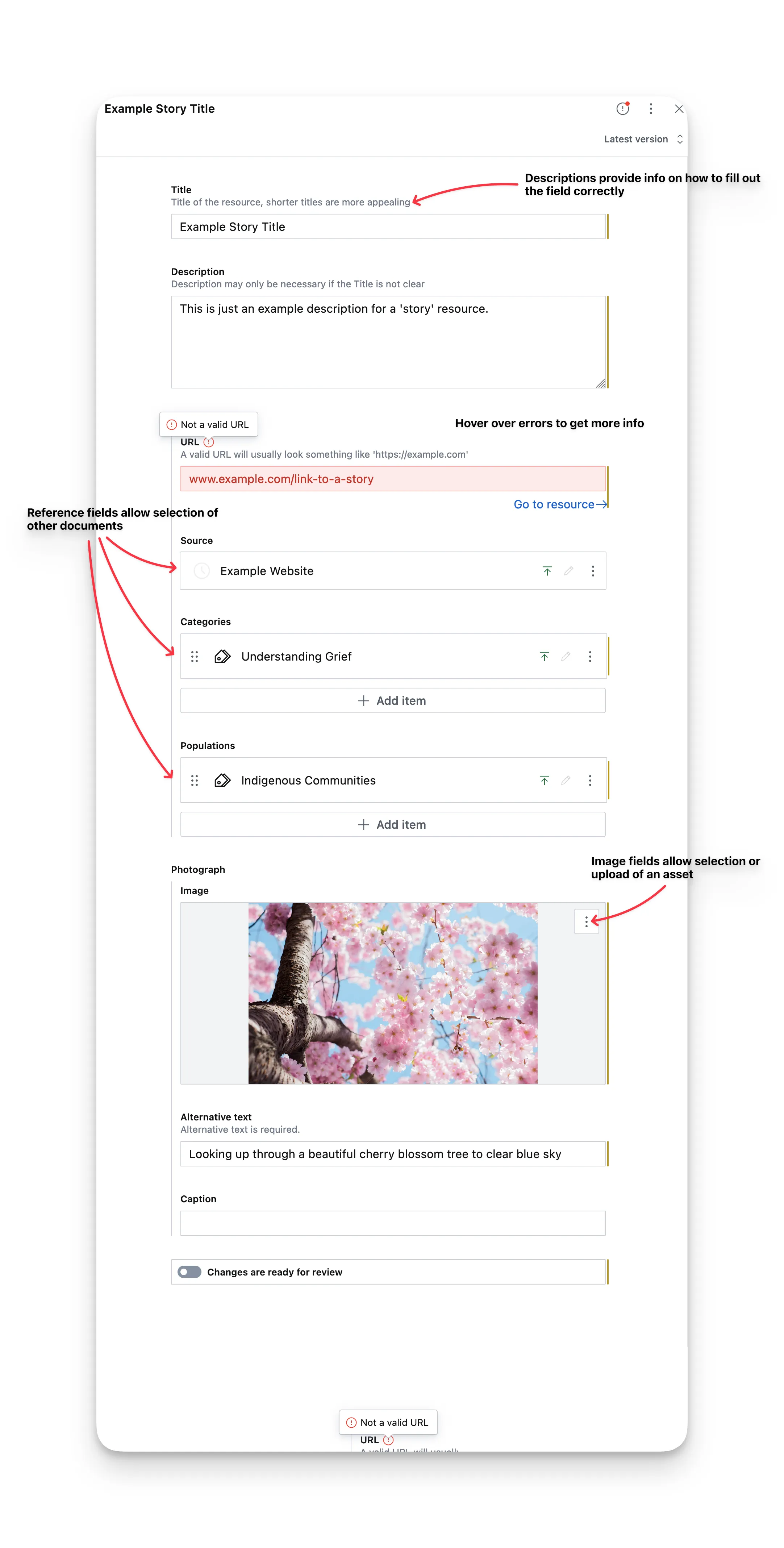
The screenshot below shows a few pointers on what the various elements mean:
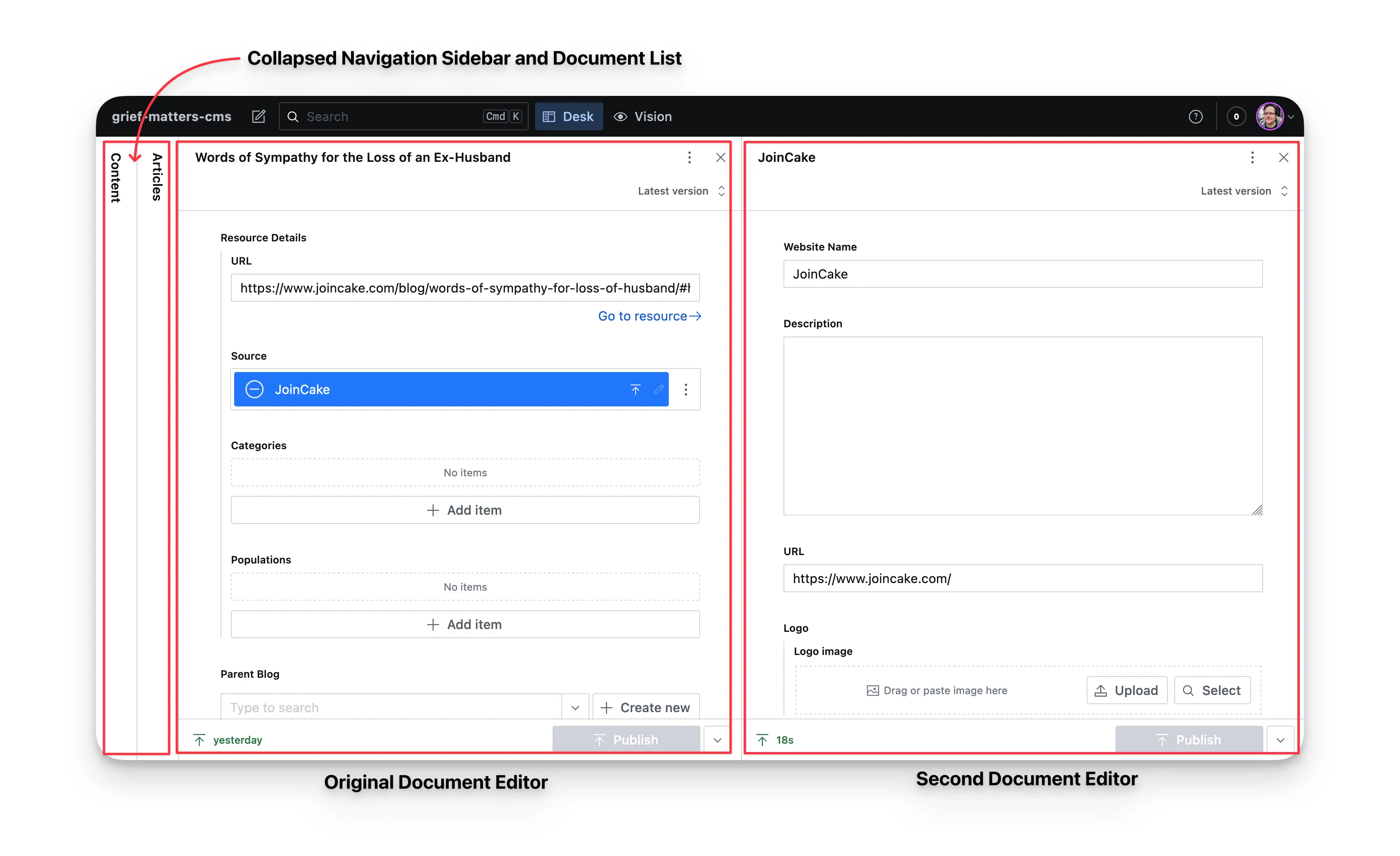
When you create a new document directly from a reference field. A second document editor will open so that you can conveniently create the referenced document without navigating away.
When two document editors are open, the left panels automatically collapse. Clicking on the collapsed panels reveals them; this collapses one document editor and vice versa. Panes might also collapse when browser space is limited, but a single click expands them for viewing.
Reference fields are dependent on the documents they reference, as such you will not be able to publish a document with a reference field unless the document it references is also published.
When you first create a document it will be created as a draft and will not show on our website until it has been published. The various document states are discussed in the nest section.